

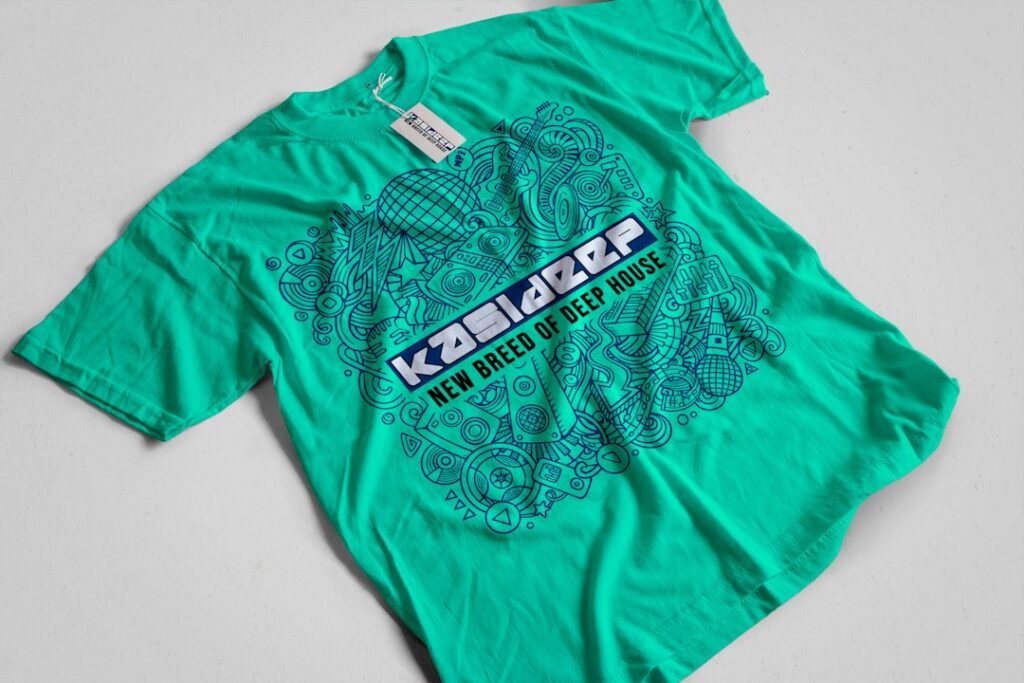
What does “vector art” mean?
Vector art is a digital image built from mathematical paths rather than a fixed grid of colored pixels. These paths define lines, curves, shapes, and colors, allowing the artwork to be enlarged or reduced without becoming blurry.
Common vector file formats include:
- AI — commonly associated with Adobe Illustrator
- EPS — widely used for professional printing and production
- SVG — often used for websites, cutting machines, and scalable graphics
- PDF — may contain vector artwork, although some PDFs contain only raster images
A logo, team name, event design, or simple illustration can often be created as vector art. This makes the design flexible for different printing sizes and production methods.
Why is vector art useful for custom apparel?
Vector art gives printers and decorators a clean, adaptable design file. The artwork can be adjusted to fit a small chest print, a large back print, a sleeve, a hat, or another garment area without rebuilding the design from scratch.
For example, a school activity logo might need to appear on youth-sized shirts, adult garments, hoodies, and banners. A vector file can usually be resized for each application while preserving sharp edges and consistent proportions.
This is especially helpful for designs containing:
- Bold lettering
- Simple illustrations
- Team or organization logos
- Geometric symbols
- Solid-color graphics
- Line art
- Repeated patterns
Vector artwork also allows individual elements to be edited. A color can be changed, a word can be corrected, or a section can be separated for production. That level of control is harder to achieve with a small, flattened image.
Does vector art always look sharper than a regular image?
No. Vector art is generally sharper when the design contains clean shapes, lettering, or defined outlines. It is not automatically the right format for every type of artwork.
Photographs, realistic textures, detailed shading, and natural scenes are usually created as raster images. Raster images are made from pixels and commonly saved as JPG, PNG, or TIFF files. They can print well when supplied at a sufficiently high resolution, but they may become jagged or blurry when enlarged too far.
A useful distinction is:
- Vector graphics are made from editable paths and scale smoothly.
- Raster graphics are made from pixels and depend on their original resolution.
A photograph of a Buffalo winter scene, for example, would normally be a raster image. A one-color emblem for a neighborhood event would usually be better suited to vector artwork.
What happens if a design is submitted as a JPG or PNG?
A JPG or PNG may still be usable, depending on its quality, size, and intended printing method. Problems arise when the file is small, compressed, or copied from a website or social media page.
A design that looks acceptable on a phone screen may not contain enough detail for apparel printing. Enlarging it can reveal:
- Fuzzy edges
- Pixelated lettering
- Uneven curves
- Compression artifacts
- Missing fine details
- A white or colored background that was not intended
A PNG with a transparent background can be useful, but transparency alone does not make the artwork vector. A PNG remains a pixel-based image. It may print cleanly at one size and poorly at another.
How can someone tell whether a file is truly vector?
File extensions offer a clue, but they do not guarantee that the artwork is vector. A PDF, for example, can contain editable vector paths, a raster image, or both.
Opening the file in a design program and zooming in can help. Vector shapes usually remain smooth at extreme magnification. Raster images eventually show individual pixels.

Another test is whether separate elements can be selected and edited. If the entire design behaves as one flat picture, it may be rasterized. If letters, shapes, and colors can be selected independently, the file may contain vector information.
A file can also be partially vector. For example, the lettering may be vector while a textured background is a raster image. That may be completely appropriate if the design is being printed at a size supported by the background image.
Why do printers sometimes ask for outlined text?
Text depends on fonts installed on the computer or production system. If a font is missing or substituted, the design can change unexpectedly. Letters may shift, spacing may change, or the overall appearance may no longer match the original.
Outlining text converts the letters into vector shapes. This preserves their appearance even if the receiving computer does not have the original font.
Outlined text is useful for final production files, but it also has a drawback: the words are no longer easy to edit as text. For that reason, it is helpful to keep an editable version with live text before creating the outlined copy.
Is vector art required for every apparel printing method?
No. The best file type depends on the design and the printing process.
Vector art is often preferred for screen printing, vinyl cutting, embroidery preparation, and other methods that benefit from clean shapes or separated colors. Some processes use vector files to create screens, cut paths, stitch instructions, or color separations.
Digital garment printing can use high-resolution raster artwork, particularly for photographs and detailed illustrations. Even then, vector elements may be useful for lettering, logos, and sharp graphic components.
The file should match the production requirements rather than follow a universal rule. A detailed full-color illustration may need both raster and vector elements.
What should a good apparel artwork file include?
A useful production file should have the correct dimensions, readable lettering, intentional colors, and enough detail for the final print size. It should also show whether the background is transparent or part of the design.
Before submitting artwork, check the following:
- Confirm the requested file format.
- Keep the original editable file.
- Provide outlined text when requested.
- Make sure thin lines are not too delicate for the printing method.
- Check that small words remain readable at the intended size.
- Identify special colors clearly.
- Remove accidental marks, hidden objects, and unused elements.
- Review the design at its actual print size, not only when zoomed in.
- Confirm that transparent areas are intentional.
For seasonal apparel in Buffalo, heavier garments such as sweatshirts and hoodies may be used during colder months. Artwork that looks balanced on a lightweight shirt can appear too small or crowded on a larger garment. Placement and scale should be reviewed against the actual garment type.
Can vector artwork solve every printing problem?
No. Vector art improves scalability and editing, but it does not fix every production issue. Garment color, fabric texture, print size, ink coverage, fine detail, and the chosen decoration method all affect the final result.
A vector design can still print poorly if it uses extremely thin lines, overly small text, unsuitable colors, or details that cannot reproduce at the intended size. Some visual effects, such as soft photographic shadows or complex textures, may need to be simplified.
The most reliable approach is to prepare artwork for its actual use: the garment color, decoration process, print area, and viewing distance. Vector art provides a strong foundation, but thoughtful design preparation remains necessary.